How to Play the Official Sprunki Sinner
 0
0
 0
0
Sprunki Sinner pulls you into one of the most distinctive corners of the Sprunki universe. It trades the cheerful, bouncy energy of the original Incredibox-style gameplay for something darker and more theatrical, and that tonal shift changes how you approach every decision. If you just jumped in and heard a wall of chaotic noise, you probably placed characters without a strategy. This guide fixes that.
What Sprunki Sinner Actually Is
Sprunki Sinner is a fan-made music creation game built on the Incredibox engine. You drag and drop animated characters onto a stage, and each character contributes a looping audio layer, a beat, a bassline, a melody, a vocal effect, or a special sound. The goal is to build a cohesive, layered track that sounds intentional rather than accidental.
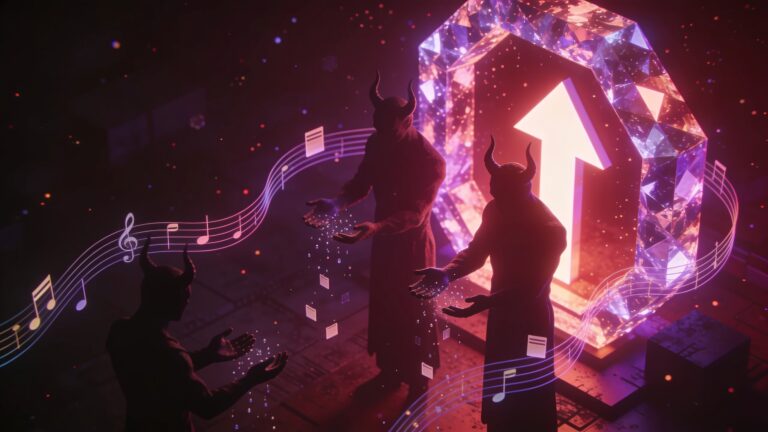
The Sinner version specifically uses a gothic, corrupted visual theme. The characters look distorted, shadowy, and stylized compared to standard Sprunki mods. That aesthetic carries into the sound design, which leans on glitchy beats, deep bass, and eerie vocal chops.
Getting Started on the Official Version
Go directly to sprunkisinner.org and load the game in your browser. The game runs on standard web technology, so a modern browser on desktop handles it well. Mobile works in a pinch, but the drag-and-drop mechanic is significantly easier with a mouse.
When the game loads, you see a row of character icons along the bottom of the screen and an empty stage area above. Each icon represents one sound type. Your job is to populate the stage by dragging those icons upward onto the characters already standing on the stage slots.
Understanding the Character Slots
The stage has a fixed number of slots, typically around seven to eight depending on the mod version. Each slot holds one active character. You can swap characters in and out freely, and removing a character immediately mutes its layer.
Think of the slots the way a mixing board works. Every channel contributes something, and the art is in choosing which channels to run simultaneously.
The Sound Layer System

This is where the real gameplay lives. Sprunki Sinner organizes sounds into categories, and knowing those categories lets you build tracks with actual structure.
| Layer Type | Role in the Mix | Typical Character Position |
|---|---|---|
| Beat / Kick | Rhythmic foundation | Left slots |
| Bass | Low-end groove | Center-left slots |
| Melody | Harmonic content | Center slots |
| Vocal FX | Texture and atmosphere | Center-right slots |
| Special / Glitch | Accent and chaos | Right slots |
Start with a beat character. Lock in your rhythm first before adding anything else. A common beginner mistake is loading three melody characters before establishing a foundation, and the result sounds muddy.
Building Your First Track Step by Step
Follow this sequence when you start a new session.
- Drag a beat character onto the leftmost slot and listen to the loop for at least four full cycles before adding anything.
- Add a bass character to the second slot and check that the bass and beat lock together rhythmically.
- Introduce one melody character and adjust its position if the game allows volume or placement control.
- Layer a vocal FX character for atmosphere, but pull it back if it clashes with the melody.
- Save a slot for a special or glitch character, which in Sinner often triggers bonus animations or secret audio combinations.
The most important habit is patience. Let each layer breathe before stacking the next one. Rushing through all eight slots at once produces noise. Taking it one layer at a time produces music.
Unlocking the Sinner Mode Bonus Sequence
Sprunki Sinner has a hidden bonus animation that activates when you place a specific combination of characters in the correct order. The exact characters vary slightly between game updates, but the general pattern is consistent.
Place the three darkest-themed vocal characters together on adjacent slots. When the right combination triggers, the screen shifts, the music transforms into a special extended loop, and the characters enter an animated cutscene. This is the most talked-about feature of the mod and the primary reason players return to experiment.
If the bonus fails to trigger, swap the vocal characters one by one until the animation fires. Systematic swapping beats random guessing every time.
Common Mistakes and How to Fix Them
A lot of players hit a ceiling early because of fixable habits.
Overloading the beat layer is the most frequent problem. Two percussive characters running simultaneously often clash on the downbeat and create a stuttering mess. Stick to one primary beat source and use glitch characters for rhythmic accents instead.
Ignoring the visual feedback is another missed opportunity. The characters animate in response to the music, and their animations actually signal whether layers are complementing or fighting each other. A character that looks agitated or glitching heavily often signals a frequency conflict in the mix.
Finally, players skip the mute-and-listen test. Remove one character at a time and hear what the mix does without it. If the track sounds better with that character gone, leave it gone. Every layer should earn its slot.
Saving and Sharing Your Creations
Sprunki Sinner stores your session in the browser. Some versions include a record function that captures your track as a shareable file or generates a code string. Check the top menu bar for a save or share icon. If a record button is available, start it before you add your final character so the full arrangement gets captured from the beginning.
Screenshot the character layout on your stage before you close the tab. That visual record lets you reconstruct a mix you liked without relying on a save file.
Key Takeaways
Sprunki Sinner rewards structure over randomness. Build from the beat up, add one layer at a time, and use the visual feedback the game gives you. Hunt for the bonus sequence by combining the dark vocal characters, because that payoff is worth the experimentation. Save your layouts before closing the browser.
The game rewards players who treat it like a simple DAW, meaning decisions have consequences and discipline produces better results than button-mashing. Start a new session today, apply the beat-first method, and hear the difference immediately.