Sprunki Sinner Edition: How to Download and Play for Free
 0
0
 0
0
If you’ve spent any time in the Sprunki modding community, you already know the Sinner Edition has a reputation. It takes the base Incredibox-style gameplay and pushes it into darker, more atmospheric territory, with horror-tinged visuals, remixed character designs, and a sound palette that feels genuinely unsettling compared to the original. A lot of players want in, but get confused by the multiple versions floating around and the vague “just search for it” advice that dominates forum threads. This guide cuts through that noise and walks you through exactly how to get the game running for free, right now.
What Sprunki Sinner Edition Actually Is
Sprunki started as a fan-made mod of Incredibox, the browser-based music mixer where you drag and drop characters onto a stage to layer beats, melodies, and vocals. The Sinner Edition is a specific community mod that reimagines the standard Sprunki cast with darker, corrupted aesthetics. Characters take on a more sinister look, the sound design leans into glitchy, distorted textures, and some versions unlock hidden animations when you hit the right combinations.
The appeal is clear. The base game is cheerful and colorful. Sinner Edition is the opposite of that, and for a certain type of player, that contrast is exactly what makes it worth playing. It has built a dedicated fanbase, and multiple developers have contributed their own takes, which is why you’ll find several variants using the same name.
Where to Play Sprunki Sinner Edition for Free
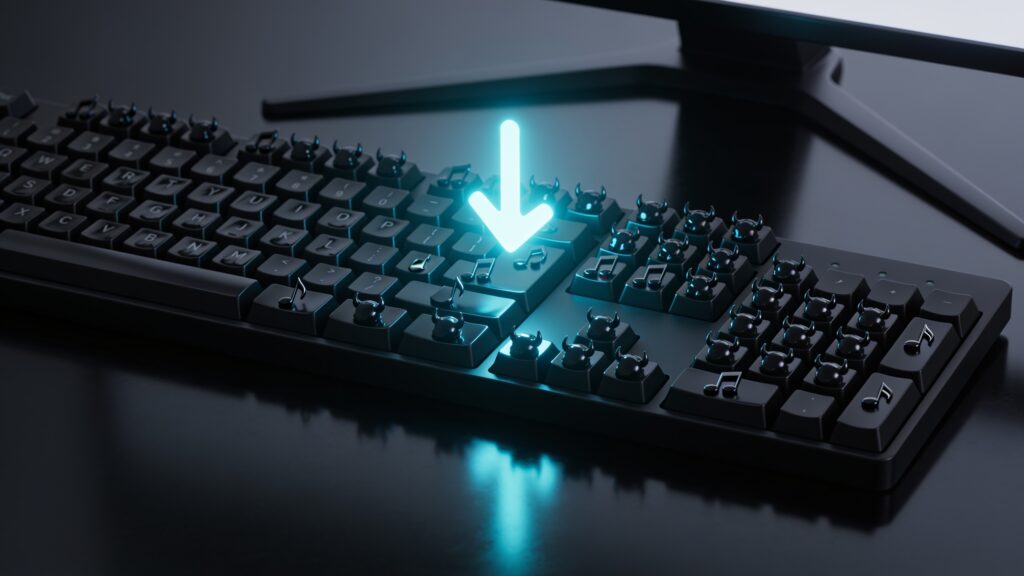
The good news is that you almost certainly do not need to download anything at all. The Sinner Edition runs in the browser through fan-hosted platforms, which means zero installation and zero cost.
Here are the primary places where the game is available right now:
- Sprunki-dedicated fan sites, including this one (sprunkisinner.org), which host the mod directly in an embedded player
- The Scratch platform, where community developers post playable builds under searches like “Sprunki Sinner”
- Itch.io, where some creators have uploaded standalone browser-playable versions with download options for Windows
- CrazyGames and similar browser game aggregators, which index popular mods and keep them updated
My recommendation is to start with a dedicated Sprunki site before going to Scratch. Scratch builds sometimes run slower because of the platform’s general overhead, and aggregator sites can serve outdated versions. A dedicated fan site typically has the most recent build of the mod embedded and ready to go.
How to Download It If You Want an Offline Version
If you prefer offline play or have a slow connection that makes browser gaming frustrating, a downloadable version is available through Itch.io. Here is the process step by step.
Step 1. Go to Itch.io and search for “Sprunki Sinner Edition.” Filter results by “Games” and look for builds with recent update dates and active comment sections. Active comments signal a maintained project.
Step 2. On the game page, check the platform tags. You want a build marked for Windows, Mac, or Linux depending on your system. Most available builds target Windows.
Step 3. Click the download button. Itch.io does prompt for a payment amount, but every legitimate free version has a “No thanks, just take me to the downloads” option below the payment field. Click that.
Step 4. Extract the downloaded zip file using any standard extraction tool. Open the folder and run the executable. The game loads in a local window and plays identically to the browser version.
The file sizes are small, typically between 50MB and 150MB depending on the build, so the download completes fast even on a mid-range connection.
System Requirements and Compatibility
Because Sprunki Sinner Edition is a browser-based mod at heart, the technical bar is low. Here is a quick breakdown by platform:
| Platform | Minimum Requirement | Notes |
|---|---|---|
| Browser (any OS) | Modern browser, stable internet | Chrome and Firefox perform best |
| Windows (offline) | Windows 7 or later, 2GB RAM | Most builds are 32/64-bit compatible |
| Mac | macOS 10.12 or later | Fewer builds available, browser play is more reliable |
| Mobile | Android browser (Chrome) | Touch controls work, but small screen limits usability |
One thing worth flagging: if you play in Safari on Mac and the audio cuts out or characters fail to load, switch to Chrome. Safari handles the Web Audio API differently, and several Sprunki builds trigger that bug. Chrome resolves it immediately.
Tips for Getting the Most Out of the Game
Once you are in, the core mechanic is drag-and-drop layering. But Sinner Edition has hidden content that basic play misses entirely.
- Experiment with specific character combinations. Certain groupings trigger bonus animations and alternate audio sequences that most players overlook on their first run.
- Listen for sound glitches that feel intentional. Sinner Edition uses distorted audio as a design choice, so what sounds like a bug is often a feature meant to surface when layers align correctly.
- Mute individual tracks by clicking active characters. This lets you isolate which character carries which sound layer, which is the fastest way to learn the sound map.
- Record your mixes using your system’s audio capture or screen recorder. The game has no built-in save function in most builds, so external recording is the only way to keep a mix you like.
- Check the community on Reddit under r/sprunki for combination guides. Other players have mapped out which character pairings unlock the rarest animations.
Key Takeaways
Sprunki Sinner Edition is free, accessible, and playable in about thirty seconds through any modern browser. You skip downloads entirely by going through a dedicated fan site or aggregator. If you want offline access, Itch.io has legitimate builds with a free download path. The system requirements are low enough that almost any device handles it, with Chrome being the most reliable browser across all platforms.
The mod rewards curiosity. The base loop is satisfying on its own, but the hidden combination sequences are where Sinner Edition separates itself from generic Incredibox mods. Start layering, pay attention to what happens when you mix specific characters, and you will find the deeper content quickly.
Head to the player on this site right now and start your first mix. The whole thing takes under a minute to get into, and that is the best argument for trying it today.