
Sprunki Sinner Edition: How to Play Sprunki Romantic Mod
 2
2
 0
0
If you have spent any time with Sprunki, you already know the base game rewards creativity and experimentation. Sprunki Romantic Mod takes that same foundation and wraps it in something warmer, moodier, and far more expressive. Paired with the Sinner Edition aesthetic, it creates one of the most distinct music-making experiences the Sprunki community has produced. This guide walks you through exactly how to play it, what to expect, and how to get the best sounds out of it fast.
What the Romantic Mod Actually Is
Sprunki Romantic Mod is a fan-made modification of the original Sprunki music game. It replaces the standard character set, color palette, and sound loops with a softer, emotionally charged theme. Think candlelit atmospheres, slower melodic lines, and harmonies built for layering rather than aggressive rhythm stacking.
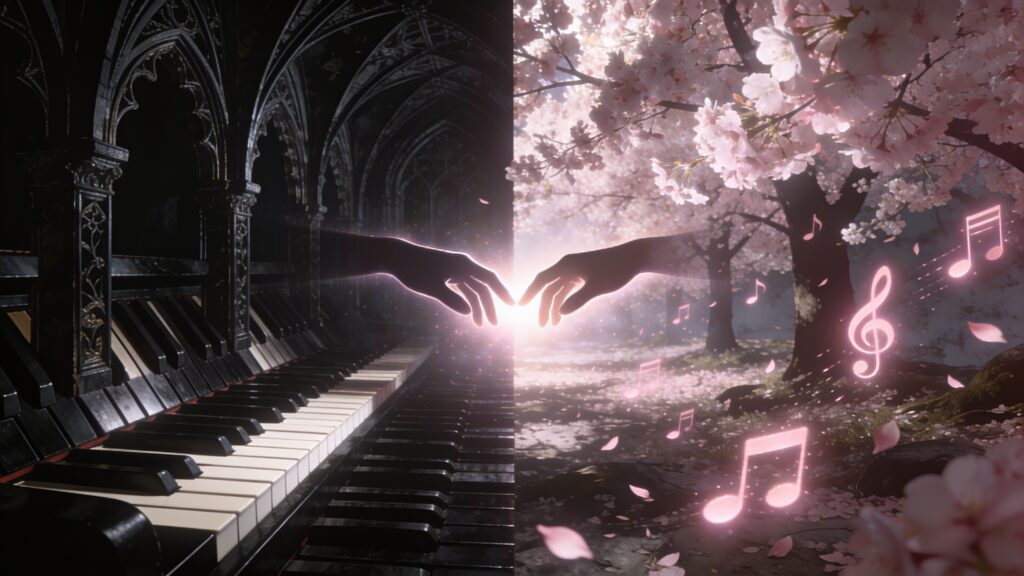
The Sinner Edition connection matters here. Sinner Edition characters tend to carry darker, more dramatic visual designs, and when those designs meet the Romantic Mod’s musical direction, you get a contrast that actually works in your favor. The tension between the moody visuals and the lush audio gives your compositions an edge that straight romantic tracks alone would miss.
Getting Started: The Setup Process
Playing Sprunki Romantic Mod through the Sinner Edition requires almost zero technical setup. The mod runs in a browser, so your first step is loading the correct version of the game on sprunkisinner.org.
Once the game loads, you will see the character bar along the bottom of the screen. In Romantic Mod, these characters carry modified sound sets. Each one plays a specific role in your mix.
Here is a breakdown of the core character categories you will encounter:
- Melody carriers: characters with heart-themed or soft-glow designs that produce lead melodic loops
- Harmony fillers: mid-register characters that add chord texture beneath the melody
- Rhythm anchors: characters providing a gentle, often muted beat structure
- Atmospheric layers: characters producing ambient pads, breath sounds, or reverb-heavy tones
- Accent pieces: characters that fire single-hit sounds like chimes, plucks, or vocal sighs
Drag any character from the bar onto the stage to activate their loop. Drag them off to remove it. That is the core mechanic, and it applies here exactly as it does in the base game.
Building Your First Romantic Mix
Start with one rhythm anchor. I always recommend this because the Romantic Mod’s rhythms are subtle, and grounding your mix early prevents it from becoming an unstructured wash of reverb.
Once the rhythm is running, add a single melody carrier. Listen for a few bars. The Romantic Mod’s melodies are built to loop smoothly, so pay attention to where the loop seam sits. That seam tells you where your next layer should breathe.
Add a harmony filler next. At this point your mix has three layers, which is enough to hear how the mod handles chord blending. Romantic Mod uses softer intervals, so expect major sixths and major thirds rather than the harder intervals you hear in standard Sprunki modes.
From here, the process becomes personal. I recommend adding atmospheric layers one at a time and giving each one at least two full loop cycles before judging the combination. Romantic Mod atmospherics can sound thin in isolation but bloom beautifully once the other layers are running.
Key Differences Between Romantic Mod and Standard Sprunki
Understanding what changed helps you mix smarter. Here is a direct comparison of the main differences:
| Feature | Standard Sprunki | Romantic Mod |
|---|---|---|
| Tempo range | Mid to high energy | Slow to mid, deliberate pacing |
| Dominant interval | Minor seconds, fourths | Major thirds, sixths |
| Reverb level | Dry to moderate | Heavy ambient tail |
| Vocal elements | Rhythmic, punchy | Breathy, sustained |
| Visual palette | Bold, high contrast | Warm tones, soft glow |
| Character count | Full roster | Curated romantic subset |
The reverb difference is the one that catches most players off guard. Because Romantic Mod layers carry long decay tails, overcrowding the mix creates mud fast. Four to six characters on stage is the sweet spot. Push past eight and you will likely lose definition in the mids.
Unlocking the Sinner Edition Bonus Animations
Romantic Mod in the Sinner Edition has a specific bonus: certain character combinations trigger hidden animations. These are the mod’s version of Easter eggs, and finding them adds a narrative layer to the experience.
To trigger them, pair characters from opposite ends of the emotional spectrum. A heavy atmospheric pad character placed next to a bright chime accent character is the type of pairing that tends to unlock these moments. The game rewards contrast.
I have found that keeping at least one Sinner Edition signature character on stage at all times increases the chances of triggering an animation sequence. These characters are identifiable by their darker outlines and the faint shadow detail on their designs.
Tips for Getting Better Results Faster
A few habits will improve your mixes immediately:
- Mute layers individually by clicking active characters rather than removing them. This lets you A/B test layer combinations.
- Build in silences. Romantic compositions breathe. An empty bar is compositional, not a mistake.
- Record your mix using your browser’s screen recording or a dedicated audio capture tool. The mod does not have a native export, so capturing externally is your best option.
- Prioritize the low-mid frequency space. Romantic Mod characters tend to cluster in the high-mid range, so balancing with a lower texture makes the whole mix feel fuller.
- Restart with a fresh stage if a mix becomes overcrowded. A clean build from three layers often beats trying to rescue a muddy eight-layer arrangement.
Key Takeaways
Sprunki Romantic Mod in the Sinner Edition is a layering game built around restraint and contrast. The characters provide the raw material, but the space between them is where the music lives. Start with rhythm, build melody, then add texture slowly. Keep your layer count at six or below for clarity. Hunt for the hidden animations by pairing contrasting characters, and always keep at least one Sinner Edition character active.
Load up the mod, start with three layers, and give yourself permission to sit with a loop for longer than feels comfortable. That patience is what separates a muddled attempt from something worth sharing.